
Independent quants
Move beyond notebooks and one-off scripts without giving up local execution, private code, or control of the runtime.
Research, build, backtest and operate strategies in one desktop workspace, powered by AQ Engine.
AQS connects the work normally split across notebooks, visual builders, backtest tools, deployment scripts, broker integrations, and monitoring dashboards.
Keep market research, strategy notes, references, and published AQI papers connected to the work.
Compose reusable strategy components visually, then open the underlying code when logic becomes specific.
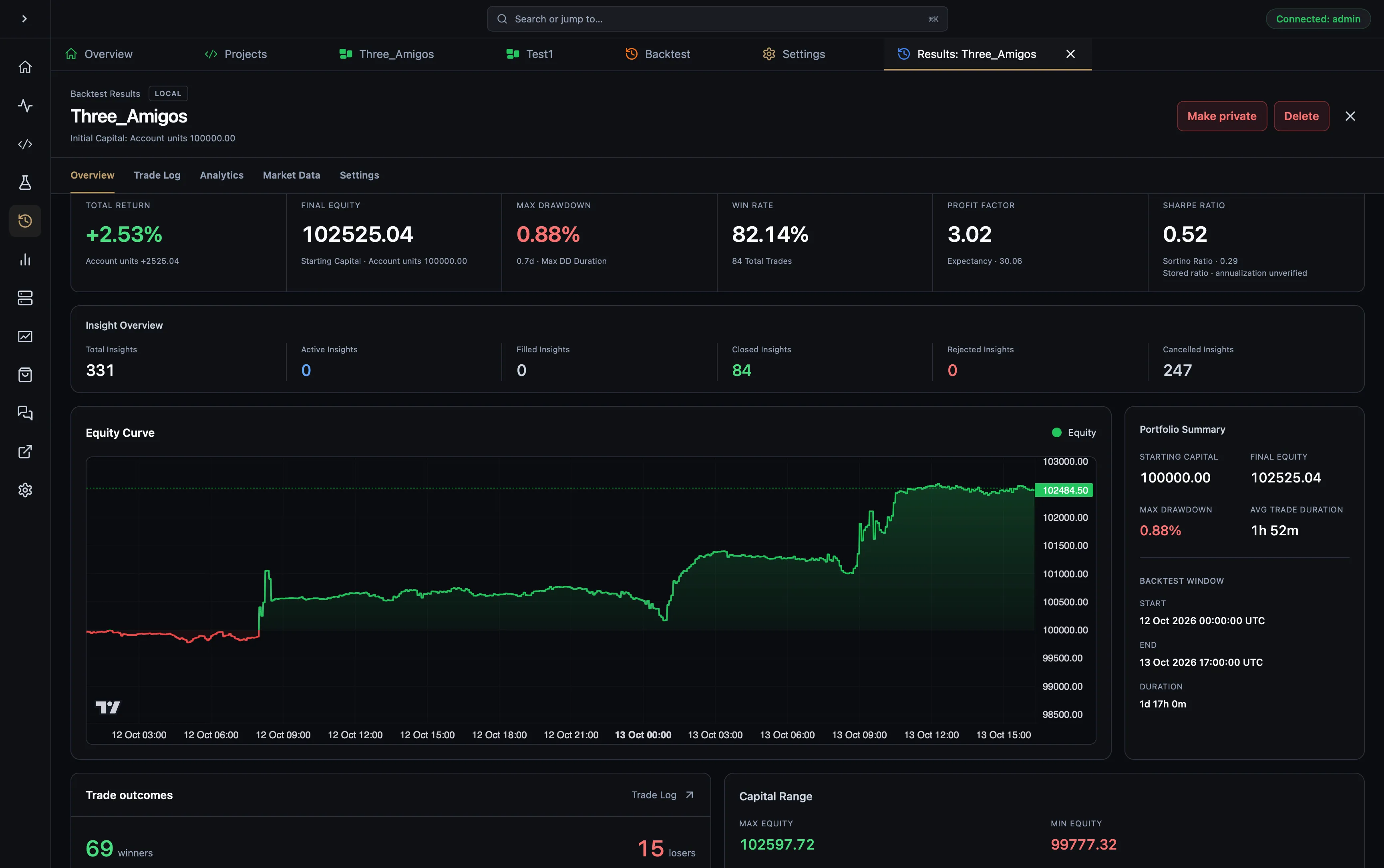
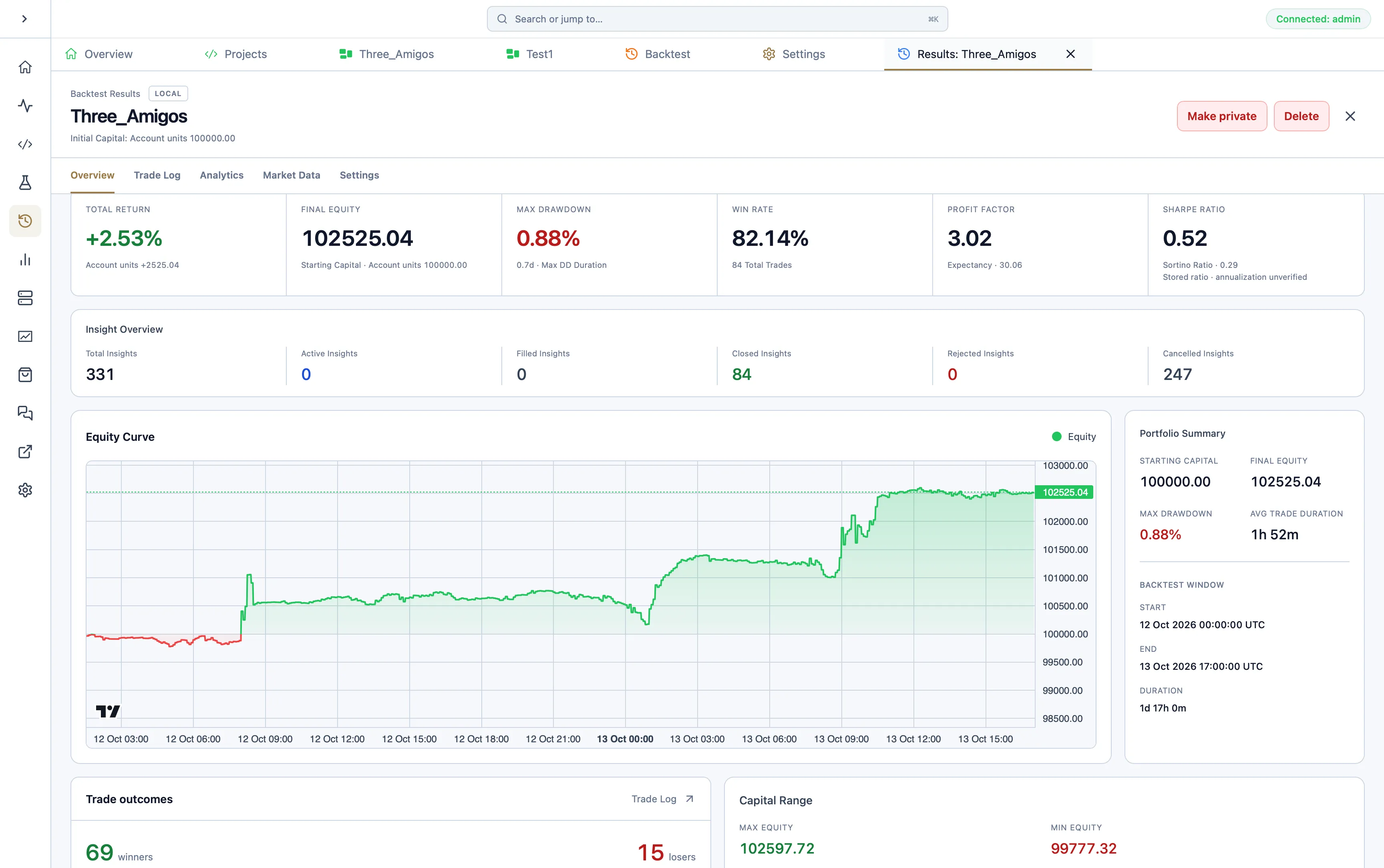
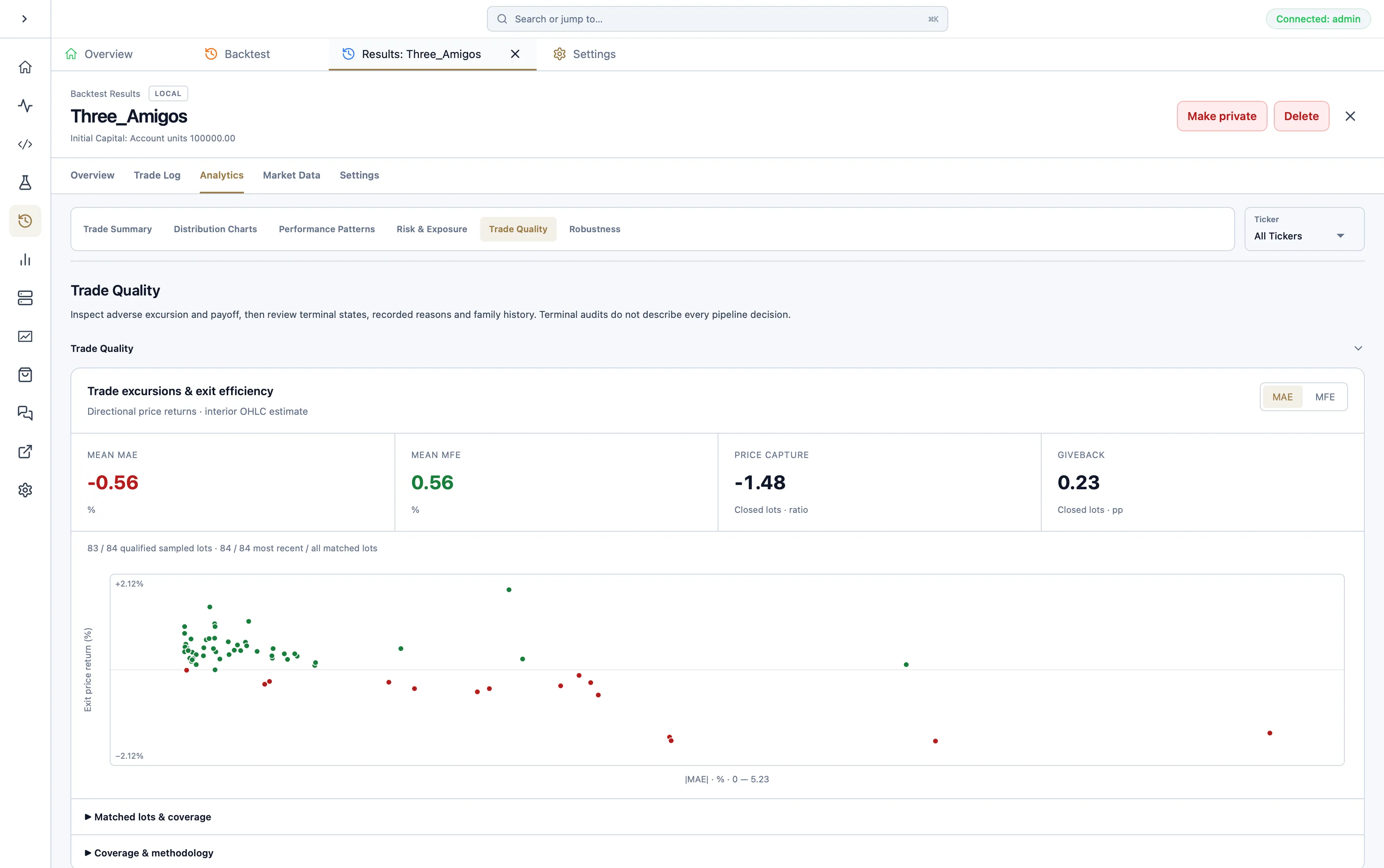
Run historical scenarios and move directly from performance metrics into the decisions and trades behind them.
Move validated strategies onto local or remote runtime nodes without rebuilding the execution path.
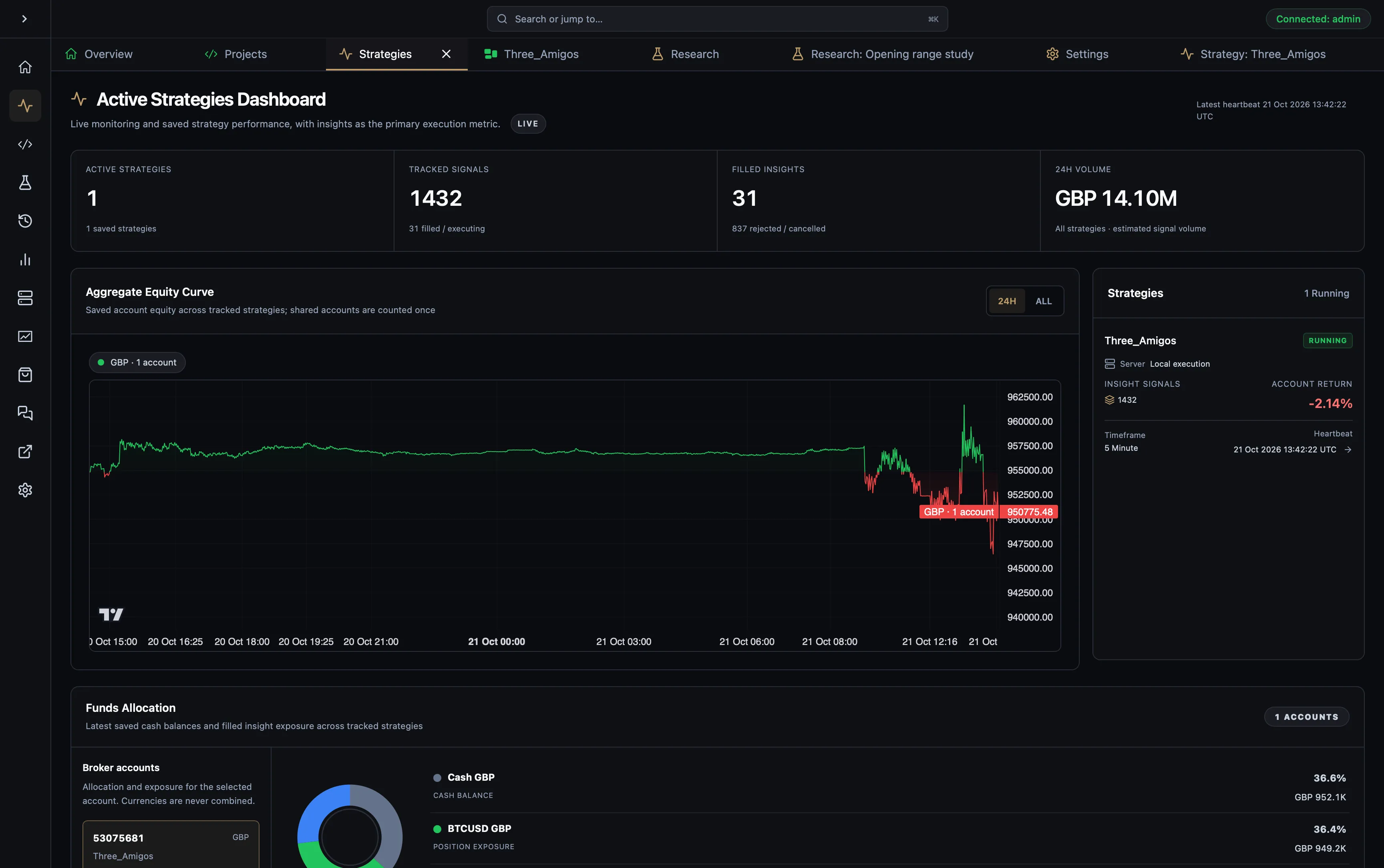
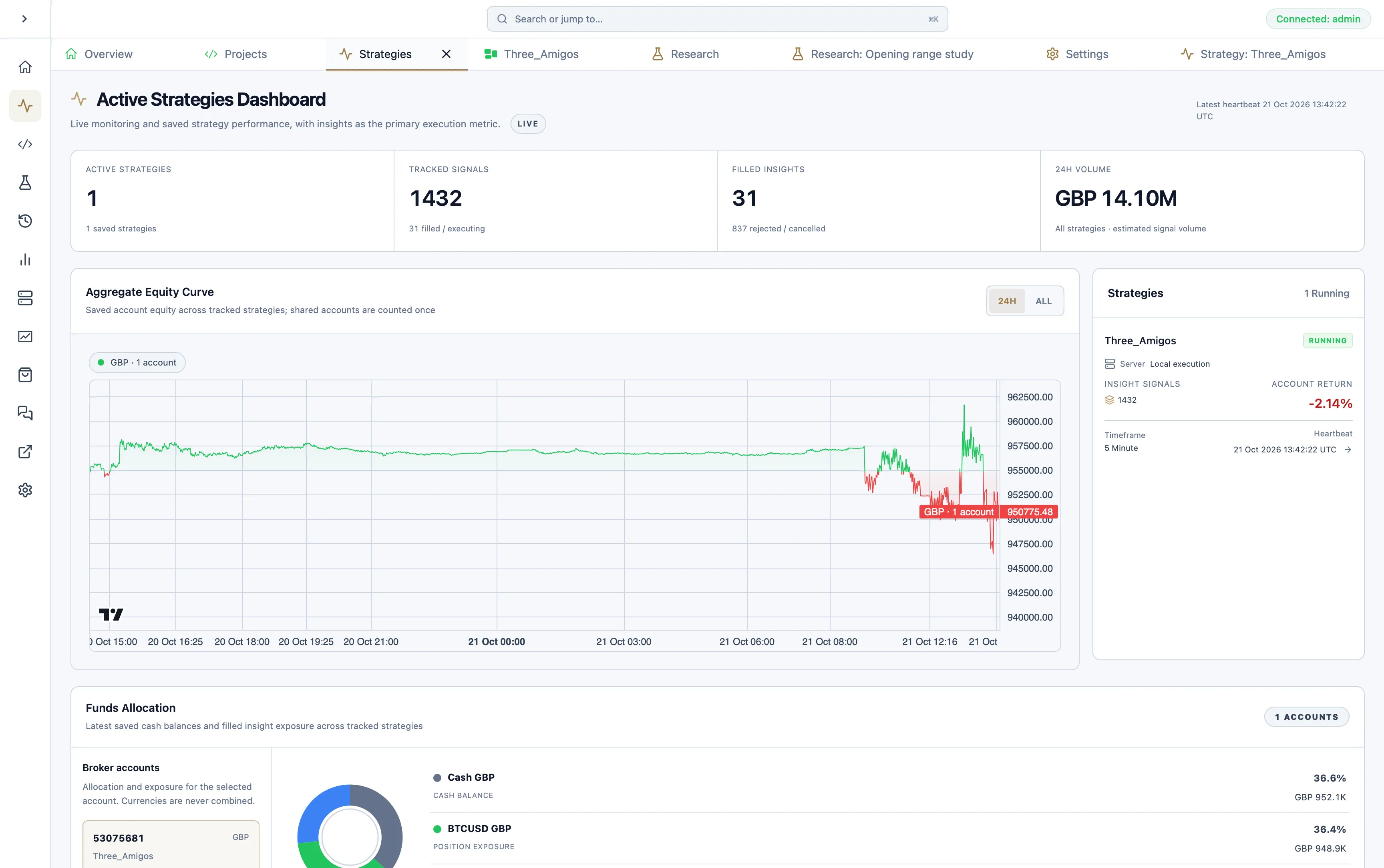
Supervise account state, strategy health, variables, logs, and active insights from one operational surface.
Trace outcomes back through Insight Flow, update components, and carry the same system into the next run.
Research→Build→Backtest→Deploy→Monitor→Improve
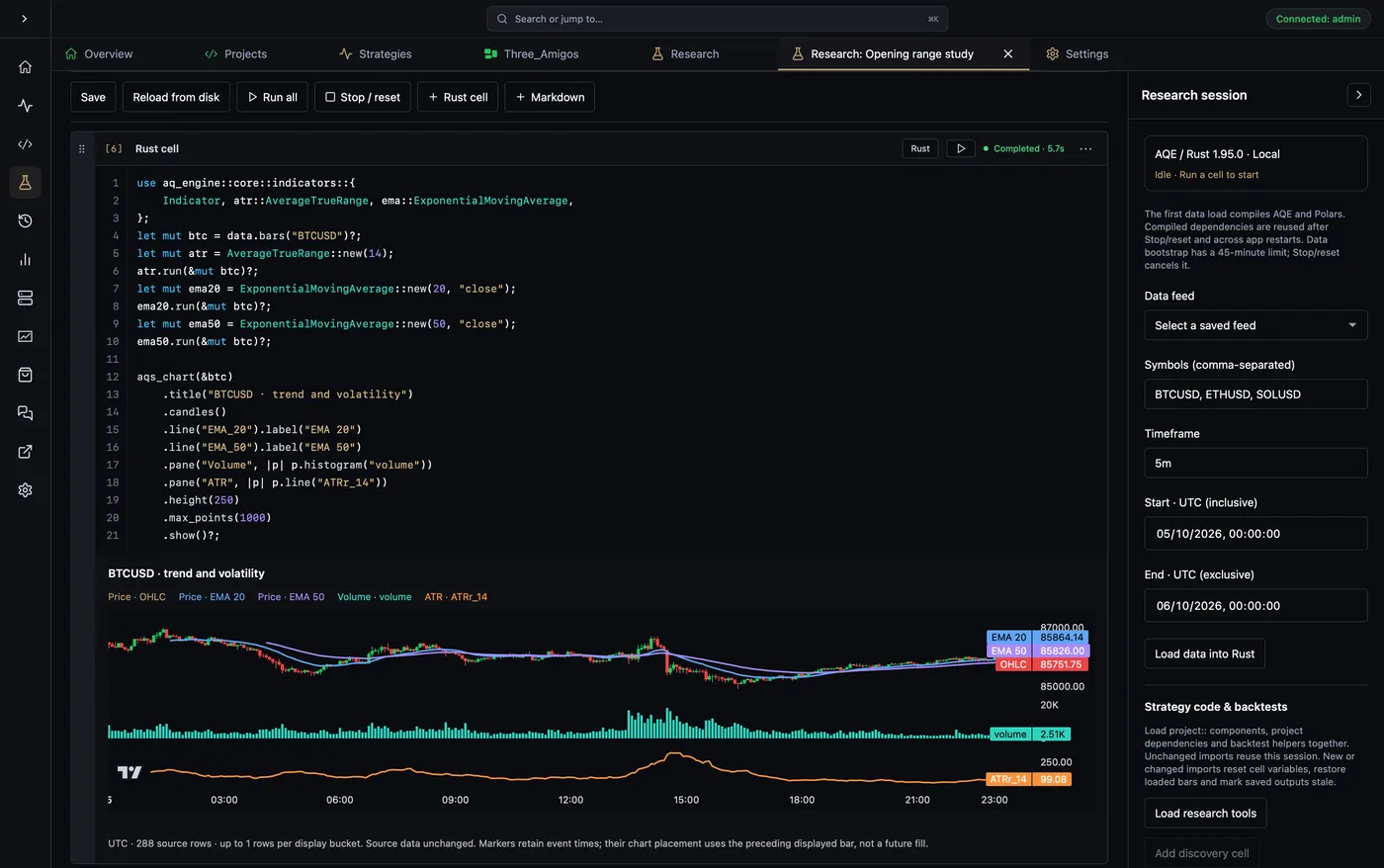
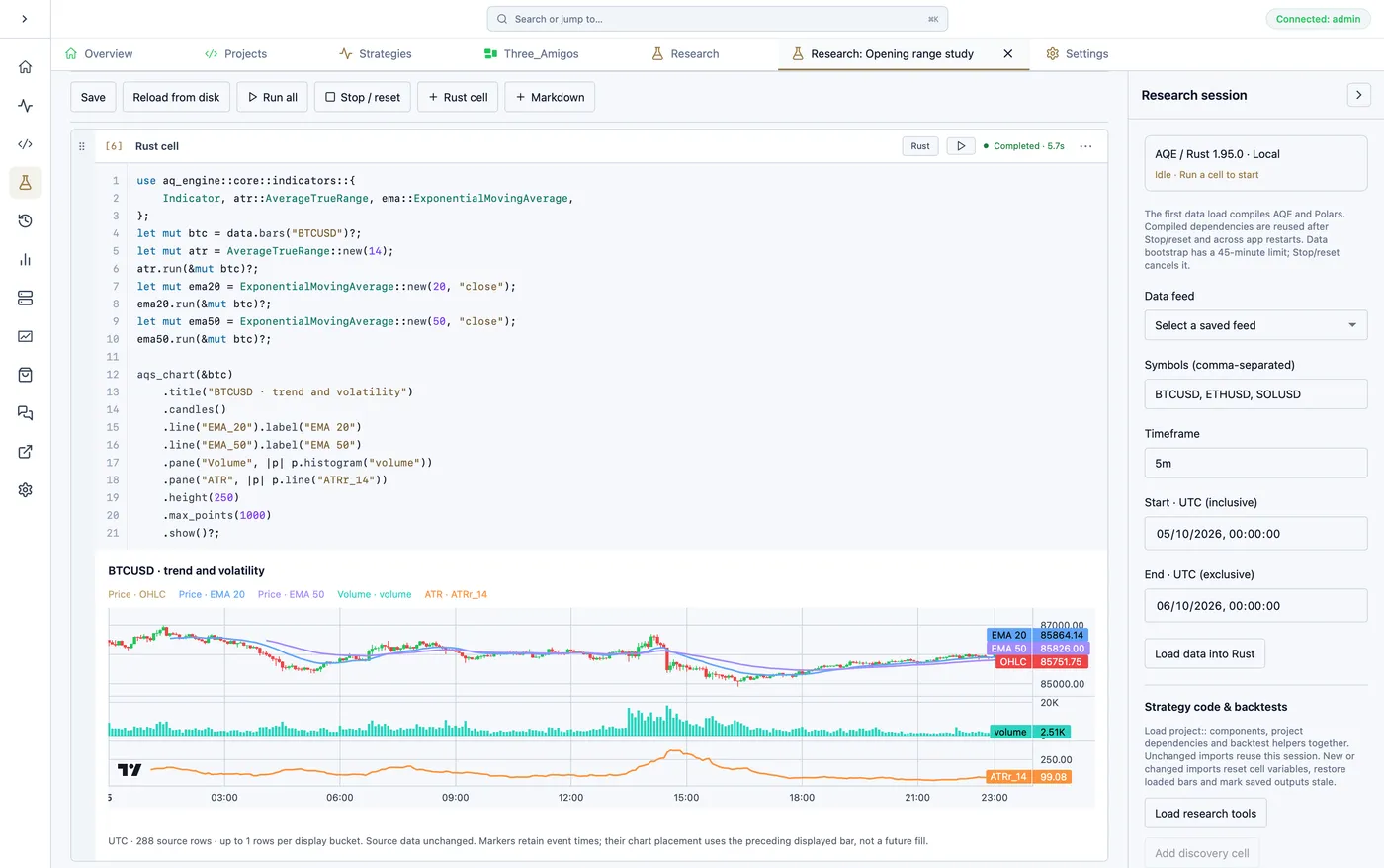
Load historical data from your chosen datafeed through AQ Engine, combine Rust cells with research notes, and explore results with tables and charts. Notebooks stay in your strategy project; share selected code and saved outputs as a notebook block in an AQ Insights paper.
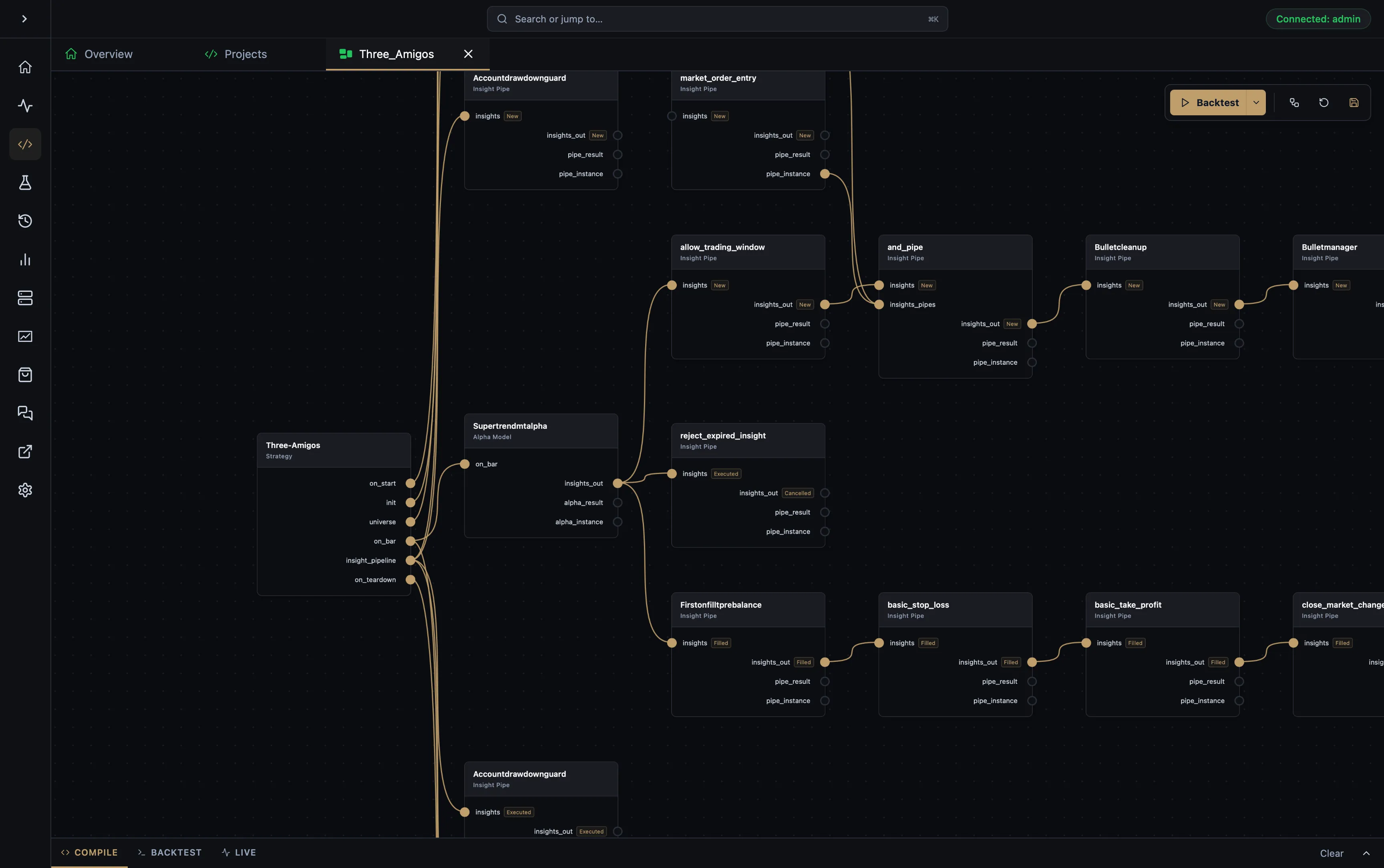
Use the node editor to structure strategy lifecycles, datafeeds, brokers, and reusable components. When a model needs custom logic, continue in code against the same engine concepts rather than leaving the platform.
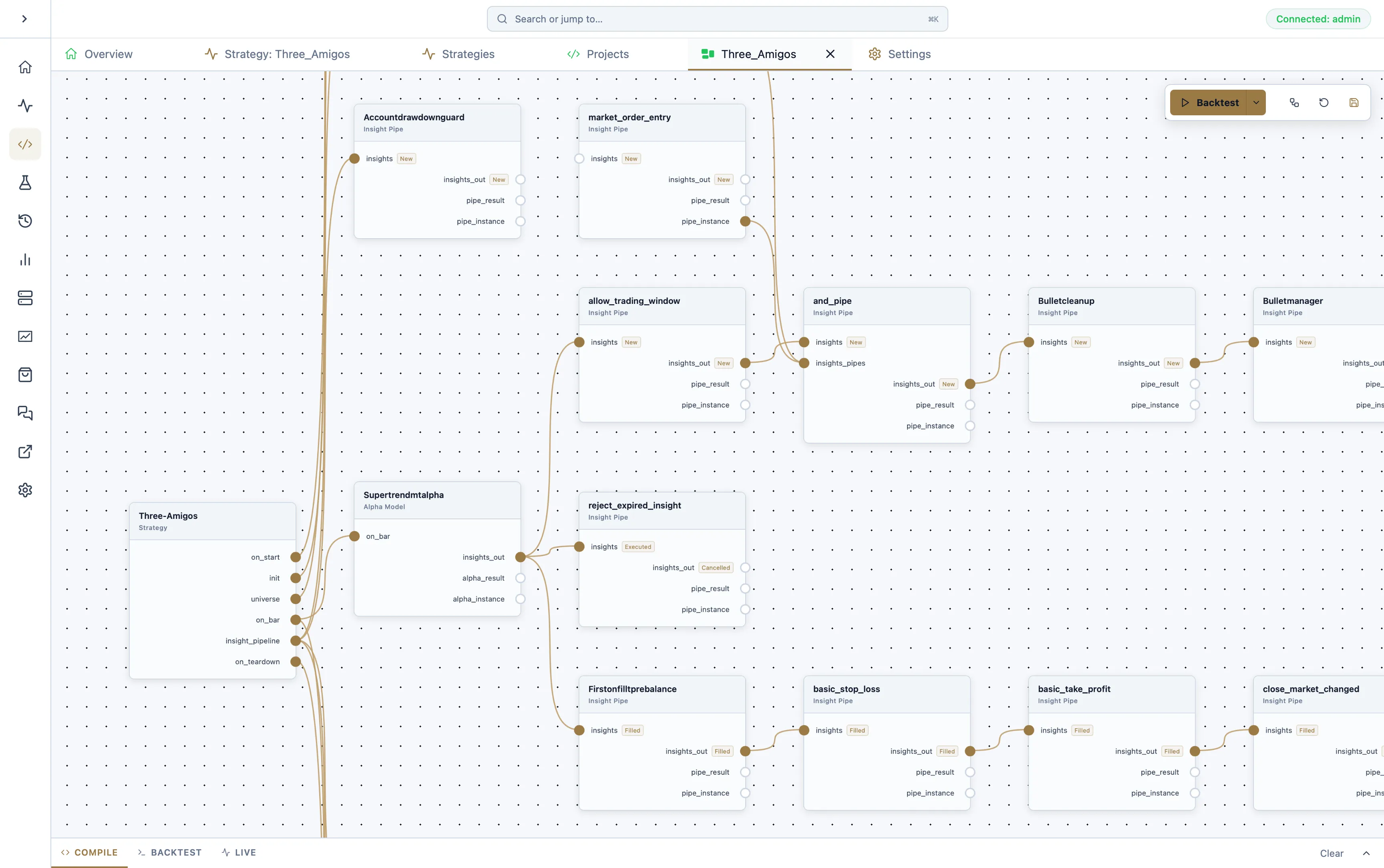
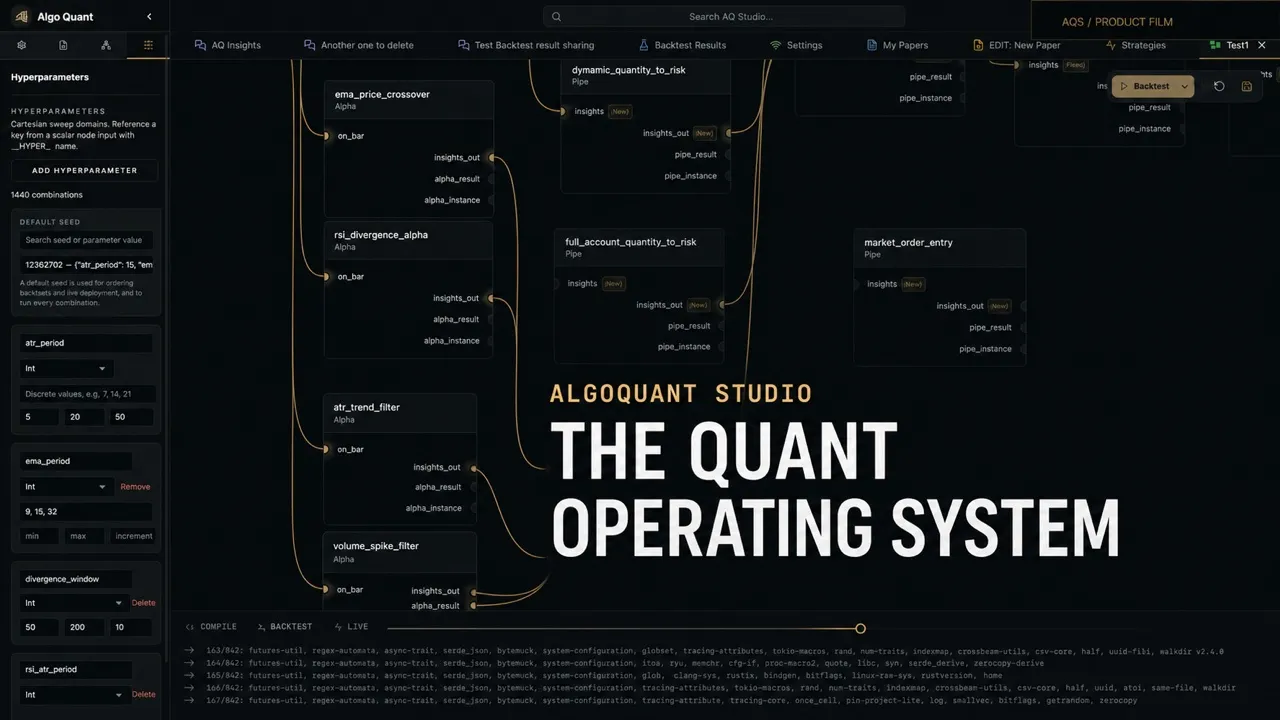
Define discrete values or numeric ranges in the node editor, bind each node input to the parameter it should use, and run every deterministic combination locally. AQS keeps each seed, its exact values, and its complete SQLite result independently reviewable.
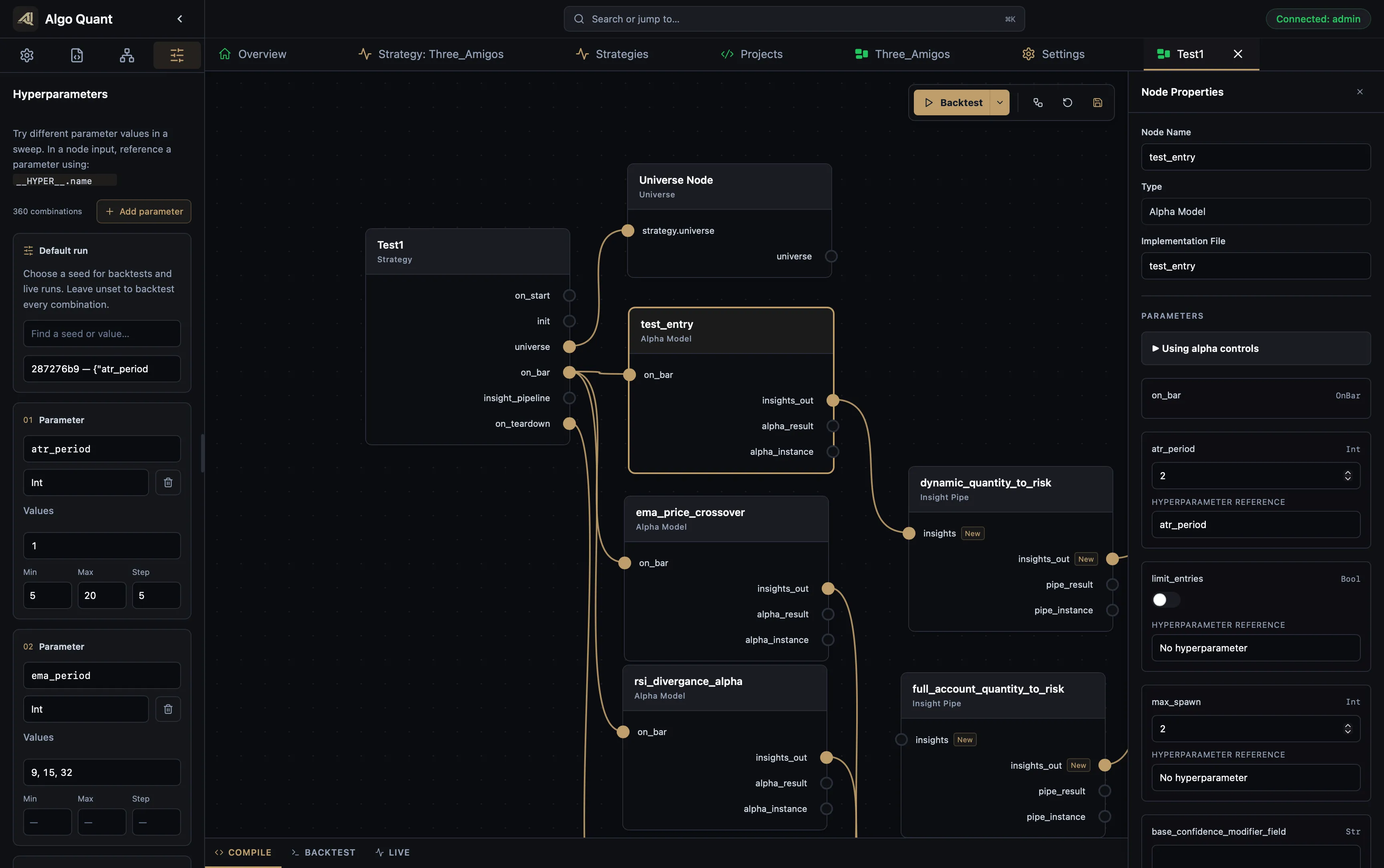
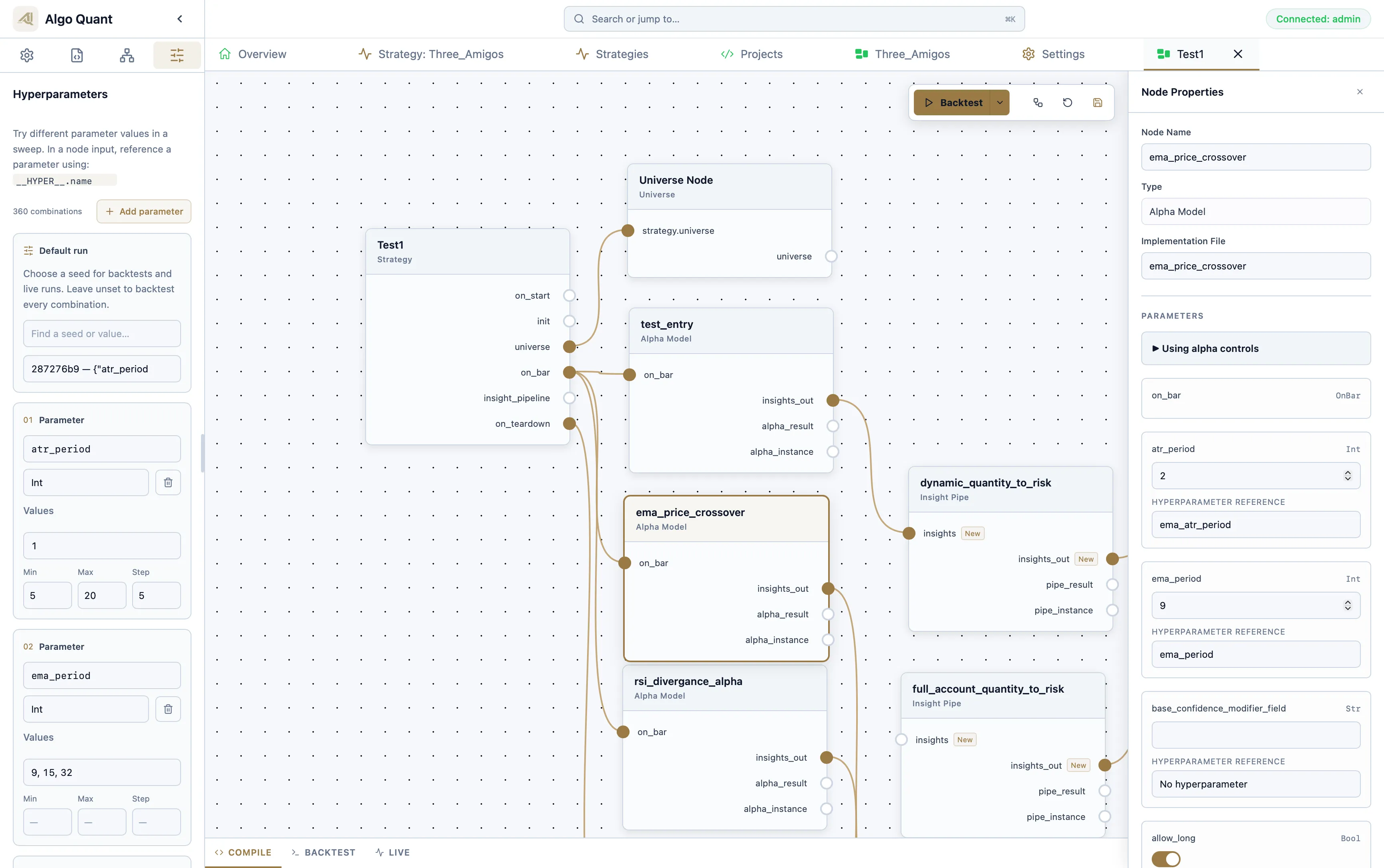
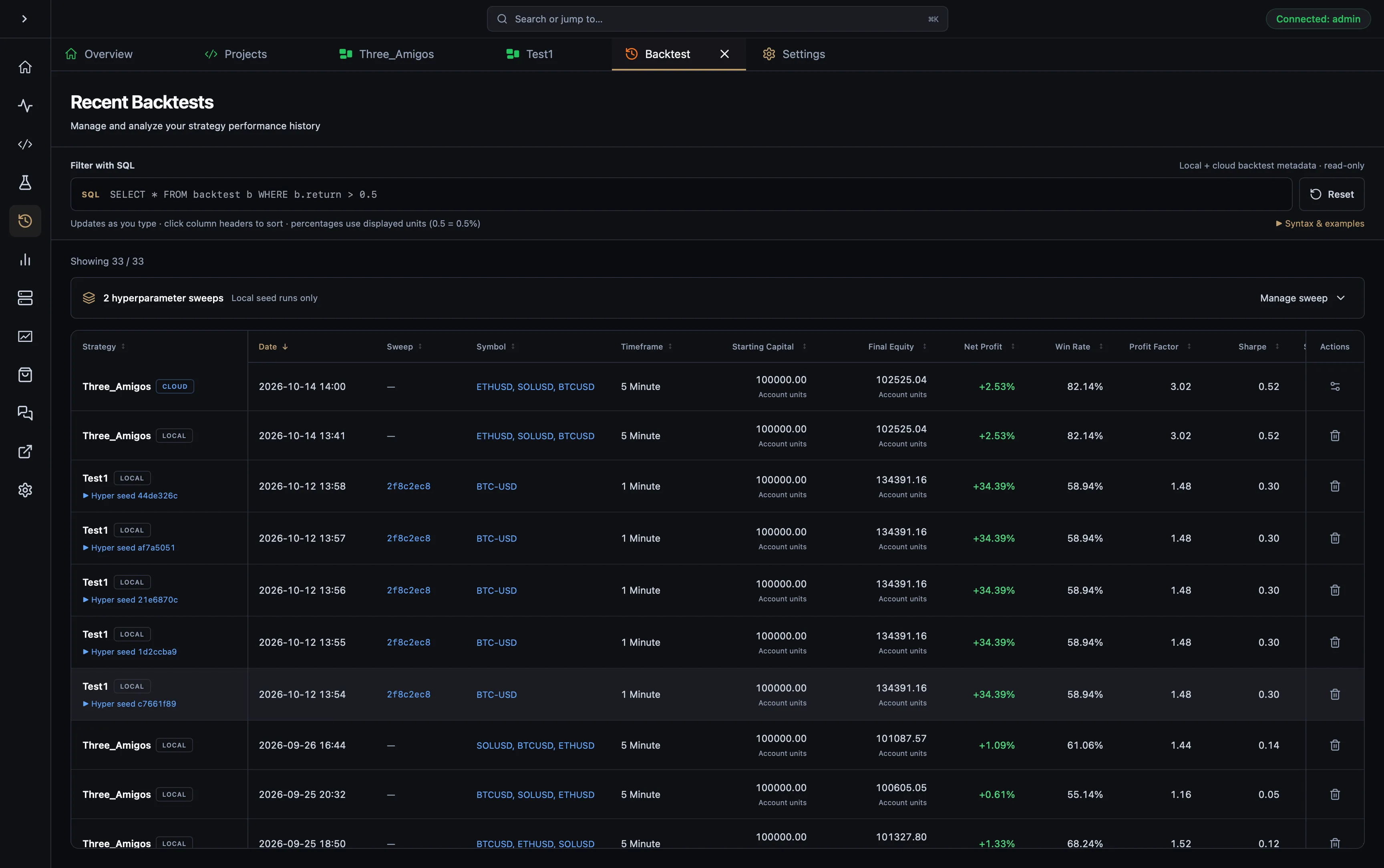
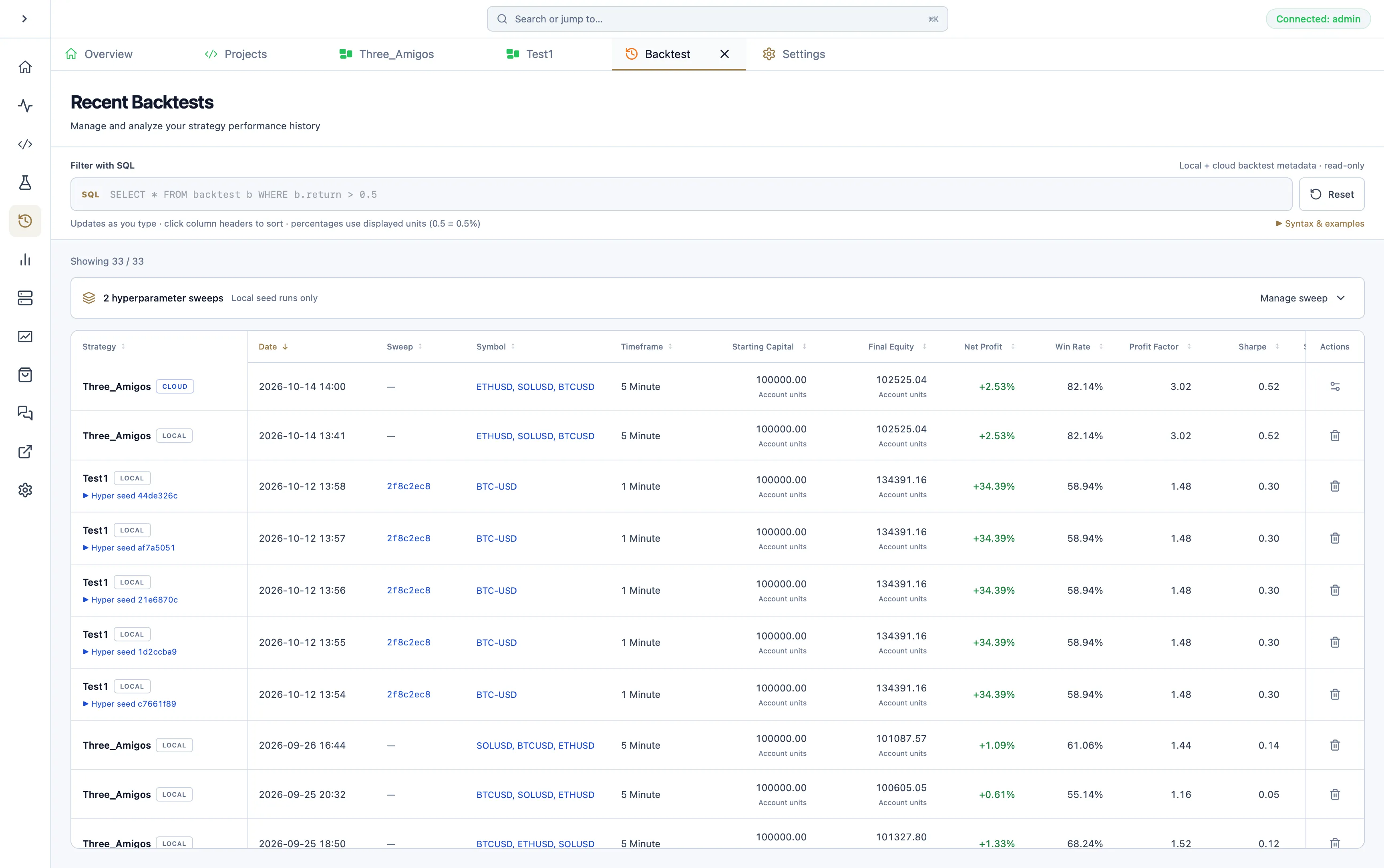
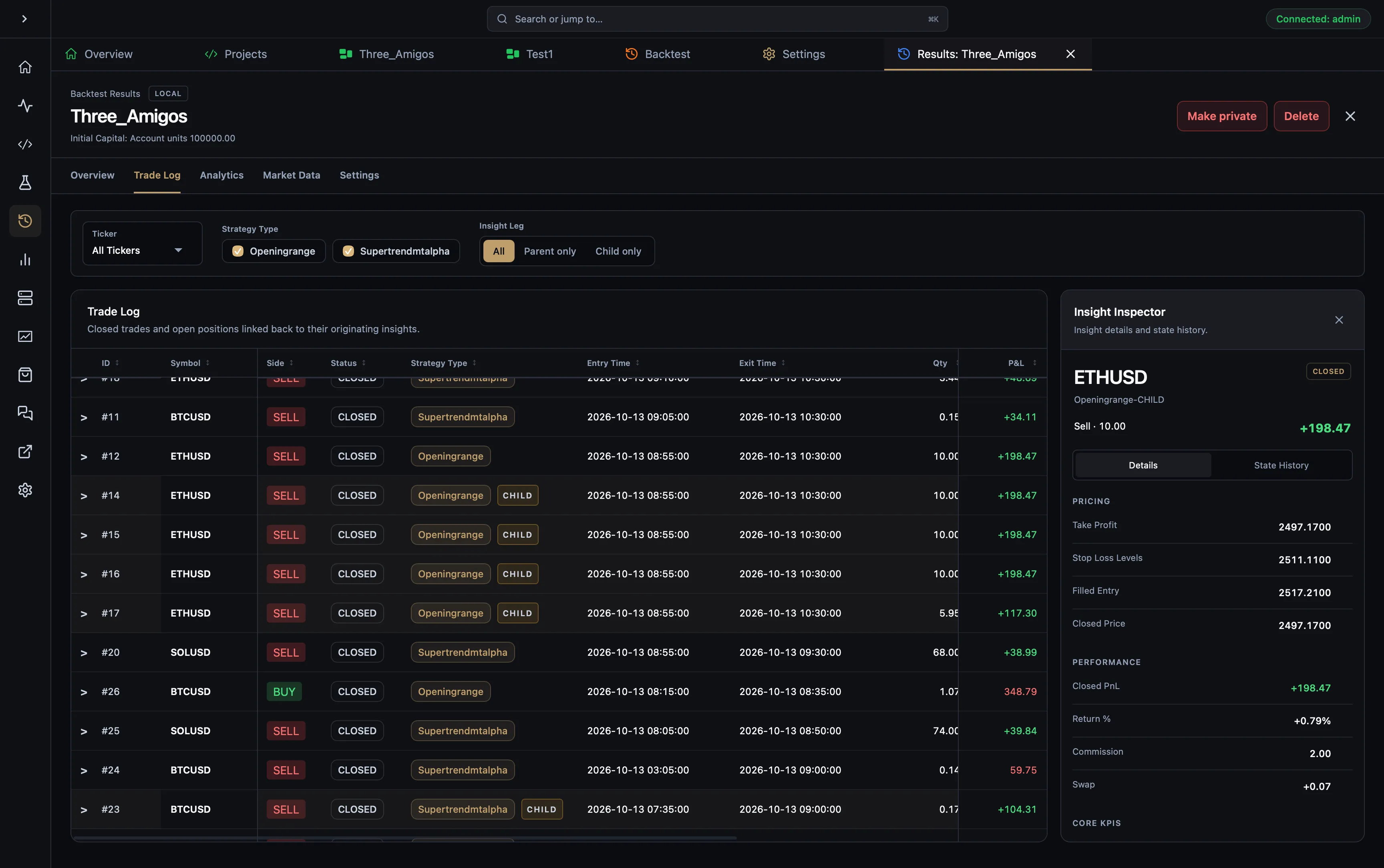
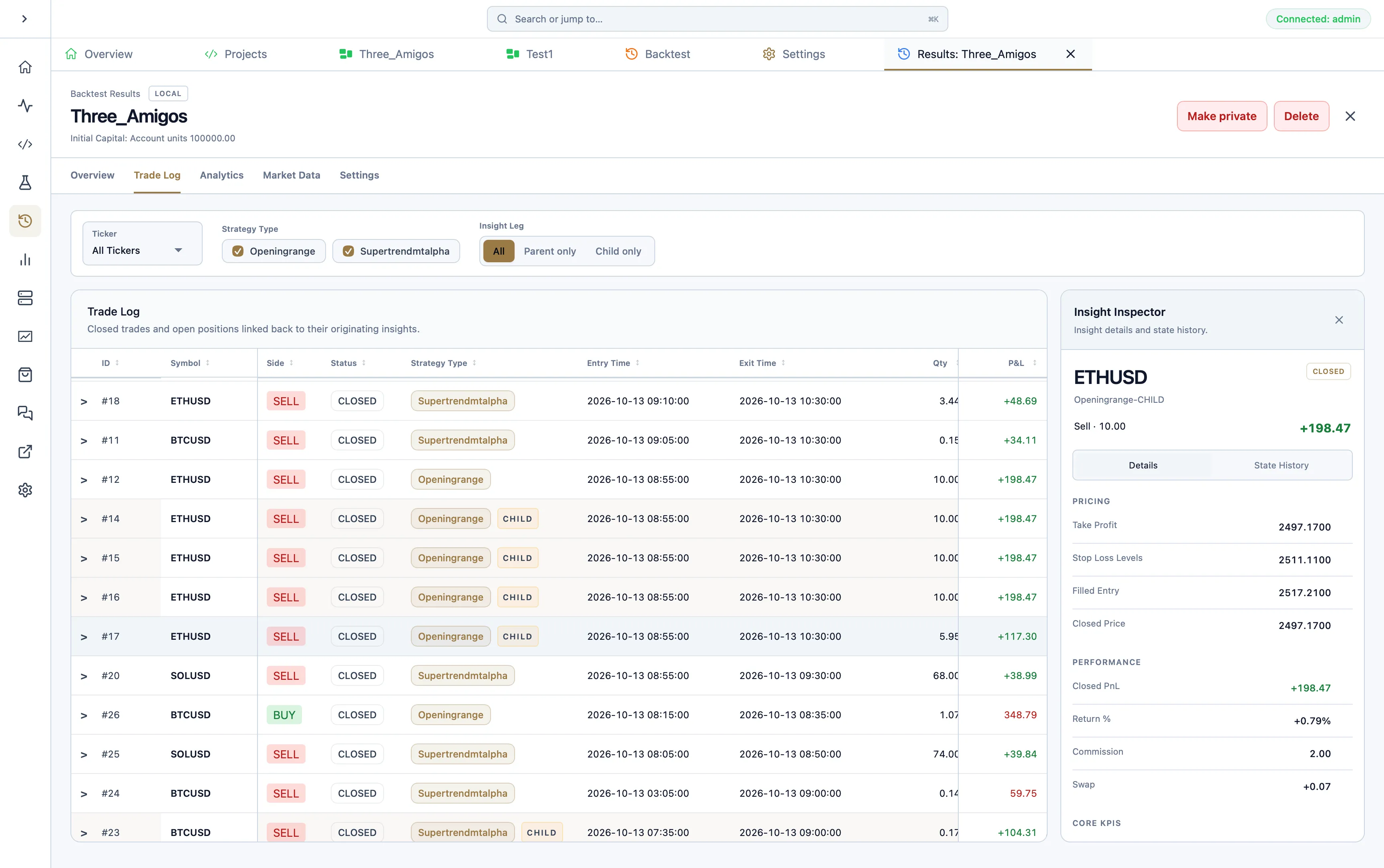
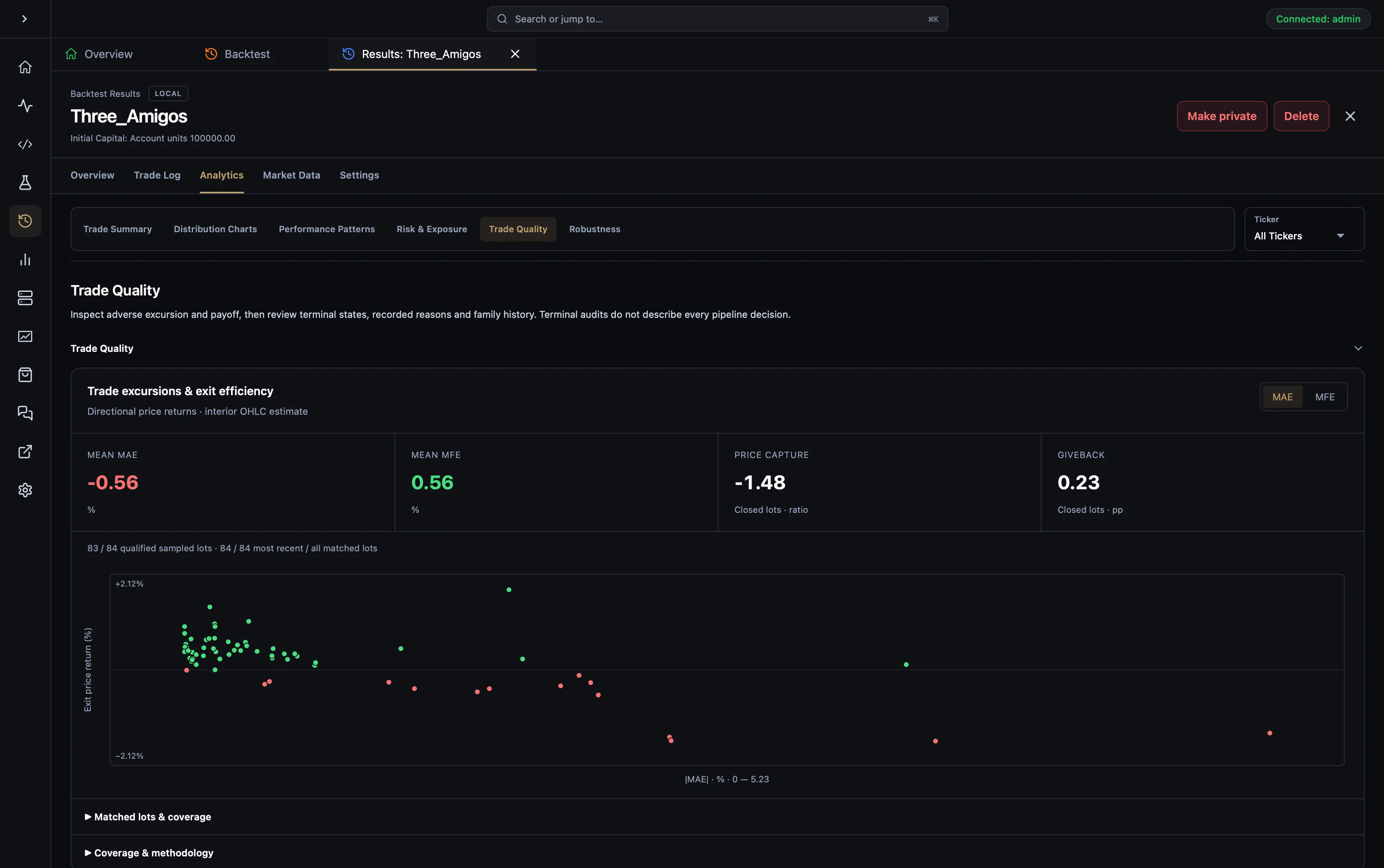
Trace each trading insight through generation, transformation, acceptance, rejection, fills, management, and closure. Debug behaviour from evidence instead of reconstructing it from scattered logs.
Move from performance metrics into the trades and insights that produced them. When a strategy is ready, deploy it through AQ Engine and monitor account equity, runtime state, logs, and active decisions from AQS.
AQS is for practitioners who understand strategy development and want to stop maintaining the surrounding toolchain themselves.
Move beyond notebooks and one-off scripts without giving up local execution, private code, or control of the runtime.
Reuse alpha, risk, portfolio, and execution components instead of rebuilding infrastructure around every strategy.
Give research, deployment, and live supervision a shared operating model that can grow into governed remote workflows.
Market data becomes signals, state-aware strategy decisions, historical evidence, routed orders, portfolio risk, and live telemetry on one AQ Engine runtime.
Inspect real product screens, documented engine benchmarks and published AQI research. Follow the guides to reproduce the workflow with your own strategies.
AQE 0.2.2 · Apple M5 Max · 5 paired runs
2 November 2026Independent, zero-based scale for each pair.
Throughput gains versus the pre-optimisation candidate. Synthetic local workloads; not end-to-end trading performance.
These dated measurements describe the recorded source snapshot, not verification of a later release. They do not measure live broker latency.
Methodology and full resultsLoad historical data in a Rust notebook, explore it with Polars-backed tables and charts, then inspect saved backtests and the insights behind each trade.
Follow the research guideExplore AQI papers for strategy research, linked backtests, market observations and implementation decisions. Assess the evidence and assumptions behind each publication.
Browse AQI papers →Start with Hobby, grow into regular live monitoring with Starter, or compare a larger portfolio with Plus. Pro provides the highest personal allocation for active quants who value reusable components, remote operations, and the time recovered by replacing fragmented tooling.
Experience the complete AQS workflow with practical operating limits.
Free
No paid subscription required.
What's included
For independent researchers moving from local development to regular live monitoring.
£12/ month
Billed monthly.
£132/ year
Billed yearly. Save £12 a year.
Included
For active quants comparing multiple strategies and retaining more research history.
£49/ month
Billed monthly.
£539/ year
Billed yearly. Save £49 a year.
Included
For active quants replacing fragmented research and execution tooling.
£170/ month
Billed monthly.
£1,700/ year
Billed yearly. Save £340 a year.
Everything in Hobby, plus
For systematic teams planning shared infrastructure and governed rollout.
30-day Pro money-back guarantee: available on eligible initial Pro purchases, subject to live-strategy usage, marketplace discount, and member-only AlgoQuant Insight (AQI) paper access conditions. Read the full terms.
The workspace, the runtime and the integrations you can use today.
AlgoQuant Studio (AQS) is the desktop workspace. AlgoQuant Engine (AQE) runs your strategies. AlgoQuant Insights (AQI) connects published research with backtests and references.
Explore the workflowInstall the Rust toolchain to build strategy projects. The visual editor helps you compose components without writing every connection by hand; custom component logic is written in Rust.
Read the installation guideYes. Run strategies locally or on remote runtime nodes you control. AQS Cloud adds connected monitoring and sharing within your plan limits; standalone AQE execution does not require AQS Cloud.
Explore live operationUse PaperBroker for simulation, MetaTrader 5 for broker execution, and Yahoo Finance or MetaTrader 5 for market data. Custom integrations implement the broker and datafeed traits. Check the integration guides for requirements and limitations.
Read the integration guidesChoose an available desktop build, install Rust, and create a strategy project. Run a backtest and a paper session before connecting a live broker. The getting-started guide walks through the prerequisites and workflow.
Get started with StudioYour research, strategies and live operations in one workspace. Start free with Hobby.
For your desktop
Version 0.2.1 requires macOS 13.3+, Windows with WebView2 111+, or Linux with WebKitGTK 2.40+.
Release status: alpha. Strategy APIs may change between releases. Check the installation guide for compatibility and signing notices.
We use essential cookies and storage for sign-in, account security, colour theme preferences, this notice, and required PostHog internal usage, session quality, and reliability metrics. We do not use advertising cookies.